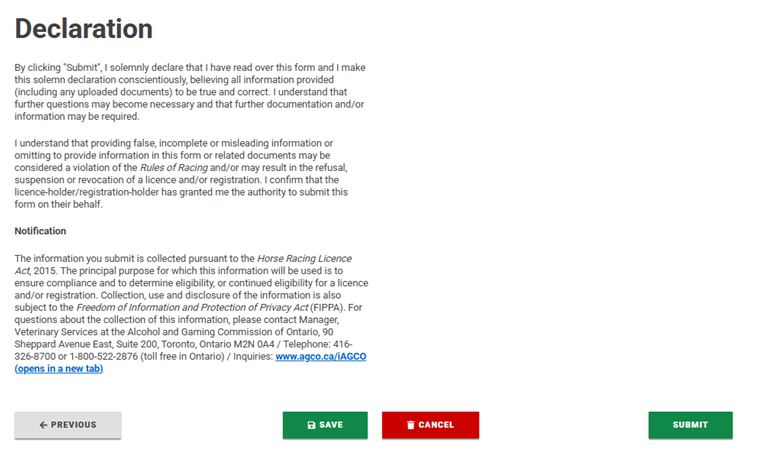
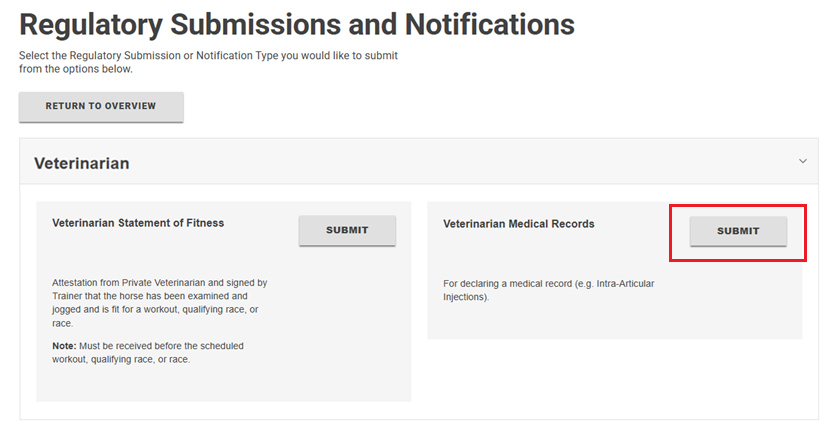
The Regulatory Submission of Veterinarian Medical Records are for declaring medical records (e.g. Intra-Articular Injections).
Regulatory Submissions in iAGCO are associated to your “Horseperson” Primary Licence.
The Regulatory Submissions you’re eligible to submit depend on your Secondary Licence(s) (e.g. Veterinarian, Owner, Trainer, etc.)
To report Veterinarian Medical Records on the iAGCO online portal, follow these steps:
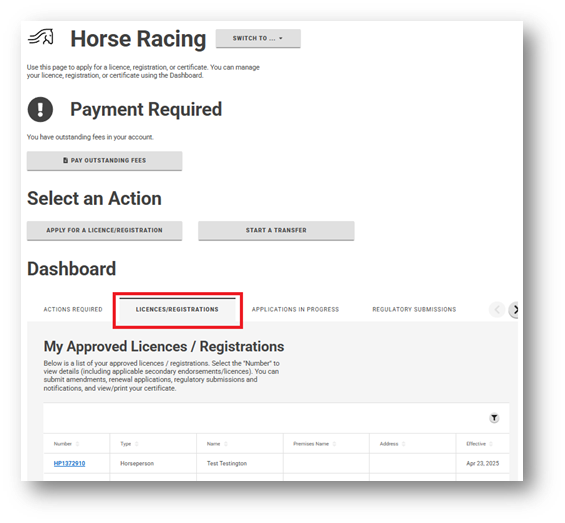
- On your Horse Racing dashboard, select the LICENCES/ REGISTRATIONS tab.
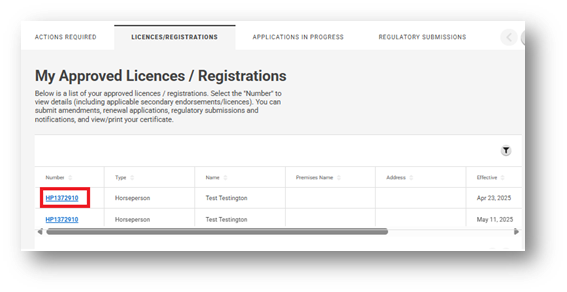
- Select the applicable Horseperson number (your Primary Licence).
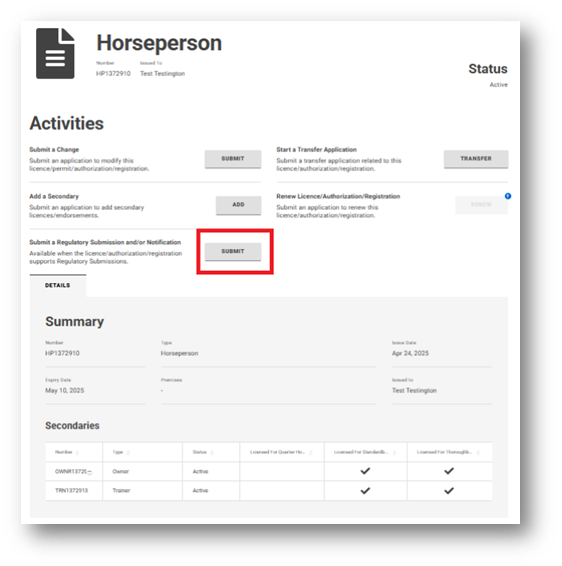
- Under Activities, select Submit a Regulatory Submission and/or Notification.
- On the Regulatory Submissions and Notifications page, select the licence type that you wish to submit for (this is your Secondary Licence). A list of available Regulatory Submissions for that type will appear.
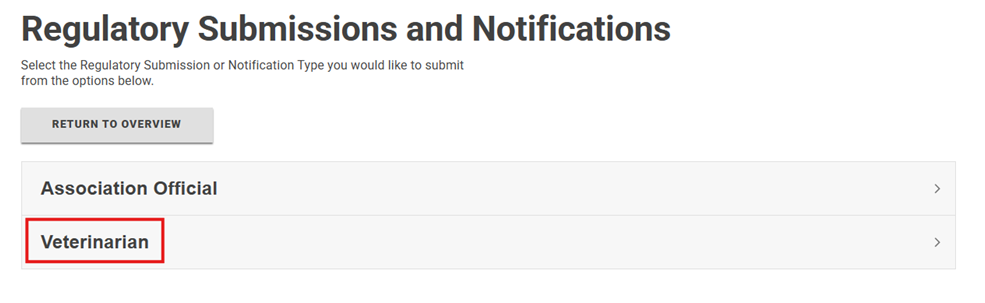
- Select Veterinarian Medical Records and click Submit.
- On the Getting Started page and select Next.
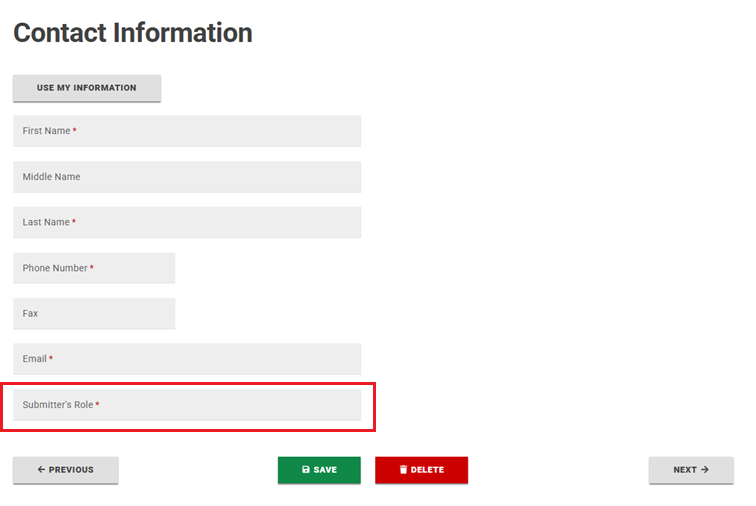
- Fill in your contact information and complete the Submitter’s Role field (ie. Veterinarian) and click Next.
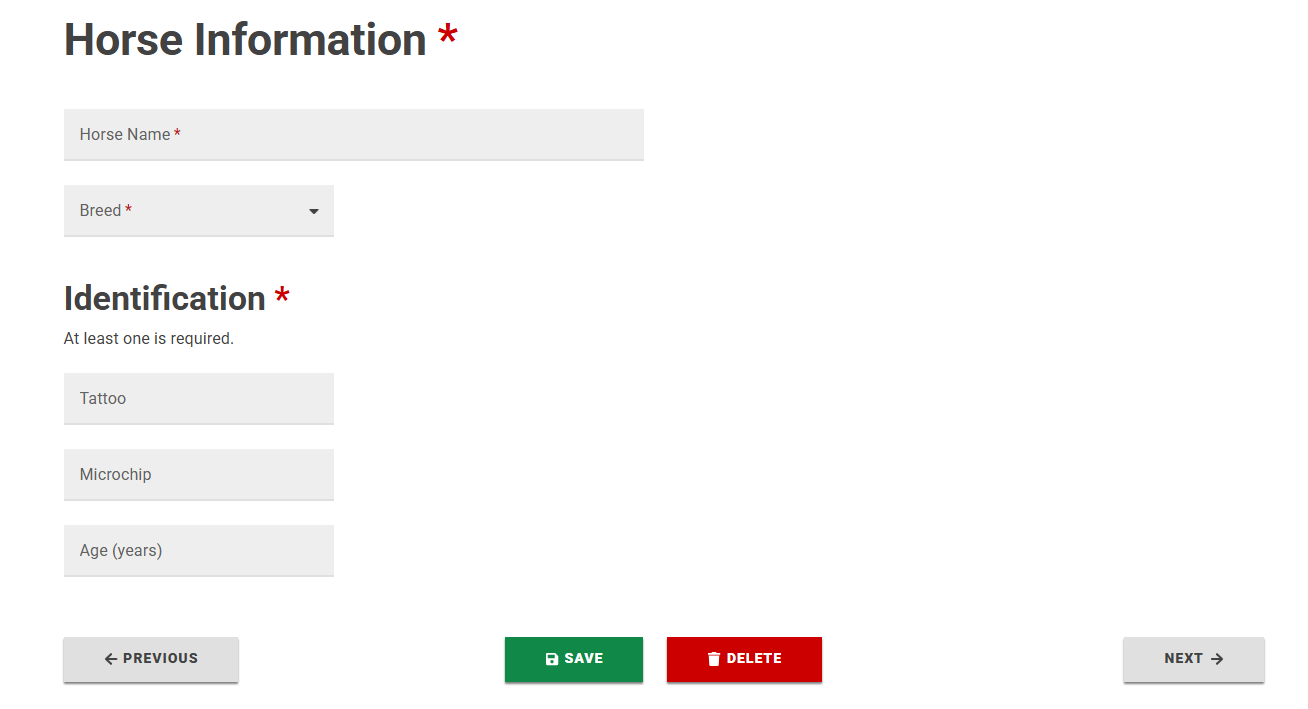
- Fill in Horse Information and select Next.
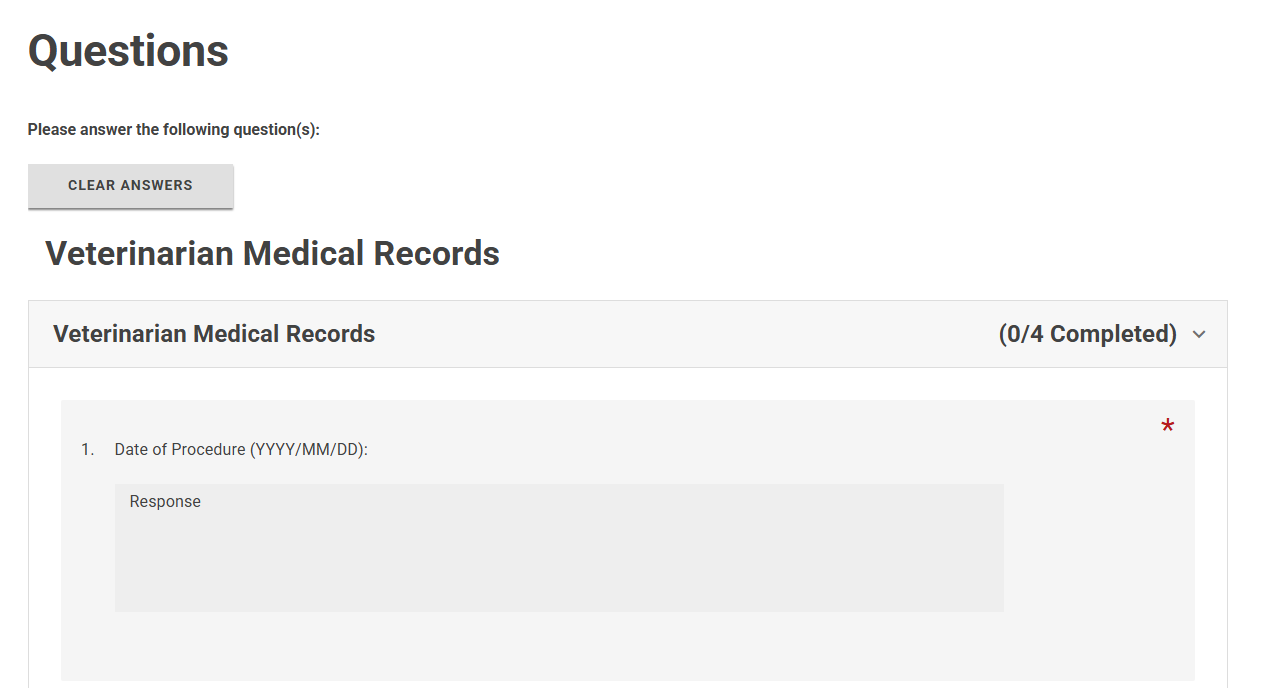
- Complete the information on the Questions page. Select Next.
- Read the Declaration and click Submit.